Table of Contents
ToggleGraphic Design Software
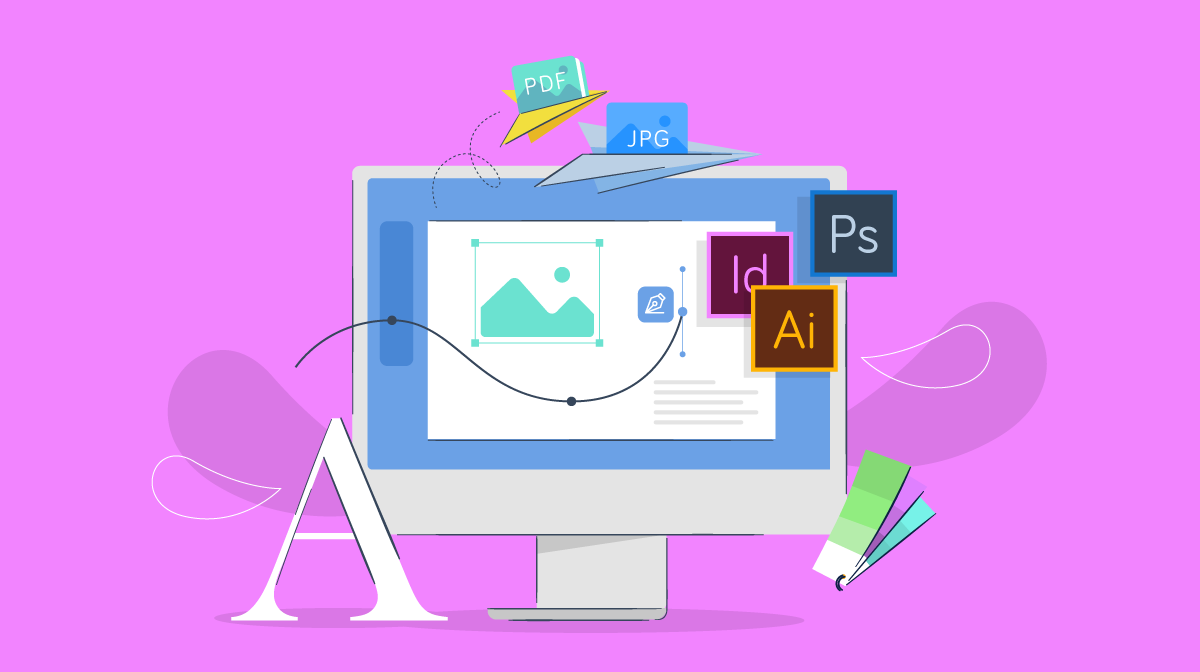
Graphic Design Software is the main part of Graphic Design. Now a days, graphic design is everywhere. Whether you’re putting together a logo, whipping up a social media post, laying out a brochure, or dreaming up packaging for a new product, you need the correct Graphic Design Software to make it happen. The truth is, even the most creative ideas need a solid toolset behind them. When you know your way around good design software, your work gets easier, looks sharper, and just feels more polished. It’s not just about talent—it’s about having the right tools to back it up.
Here’s what we’re getting into:
1. Why Software Matters in Graphic Design
A lot of people figure graphic design is all about creativity or having a good eye. Sure, that’s a big part of it. But the software you choose? That’s what really lets you turn your ideas into something real. The right tools don’t just make your work easier — they shape how you create, experiment, and share your designs.
1.1 Brings Your Ideas to Reality
Graphic design software turns your imagination into actual visuals. Whether you are designing a logo or a social media post, the right software helps you create exactly what you want.
1.2 Helps You Work Professionally
Clients and companies expect high-quality designs. Professional softwares like Adobe Photoshop, Illustrator, and CorelDRAW help you create sharp, clean, print-ready and digital-ready designs.
1.3 Saves Time and Increases Productivity
Good software comes with shortcuts, templates, smart tools, and automation features that help you finish work faster. This is important for freelancers and designers working with deadlines.
1.4 Unlocks Advanced Creativity
Some ideas just aren’t possible by hand. With software, you get layers, effects, blending, brushes, grids, color tools—the list goes on. Suddenly, you’ve got endless ways to bring your ideas to life.
1.5 Prepares You for the Real World
Companies everywhere rely on certain design tools. When you know how to use them, you’re ready to jump into the job market—and your earning power goes up. Photoshop, Illustrator, Figma, Canva—these aren’t just buzzwords. They’re the backbone of design work today.
2. Graphic Design Software You Need
Graphic design covers a lot of ground, so the tools you’ll want really depend on what you’re making. Still, every designer should know the basics. Here’s where to start:
2.1 Raster Editing Software (for photos and detailed artwork)
Raster editing tools work with pixel-based images. They’re great for things like editing photos, digital painting, or creating really detailed graphics.
Some of the most popular options:
- Adobe Photoshop
- GIMP (free)
Affinity Photo
You’ll use these for things like:
- Retouching photos
- Removing backgrounds
- Making social media graphics
- Creating text effects
- Digital painting
2.2 Vector Editing Software (for logos and scalable graphics)
Vector editing tools let you create images that stay sharp, no matter how big or small you make them. That’s why they’re perfect for logos, icons, illustrations, and anything related to branding.
Some of the most popular options are:
- Adobe Illustrator
- CorelDRAW
- Inkscape (which is free)
- Affinity Designer
You’ll use these tools for things like logo design, creating illustrations, making icons, designing business cards, and handling any graphics that need to scale up or down without losing quality.
2.3 Layout & Publishing Software
When you’re putting together something like a magazine, brochure, or even a full-on catalog, these tools are your best friends. They’re built for multi-page documents—think newspapers, books, and all the stuff that needs to look sharp and organized.
Some go-to options:
- Adobe InDesign
- Affinity Publisher
- Canva (if you want something simple)
What can you make with them?
- Brochures
- Books
- Magazines
- Flyers
- Posters
2.4 UI/UX Design Software
If you’re working on websites, apps, dashboards, or any kind of digital product, UI/UX design tools make life a whole lot easier. They help you map out how everything looks and feels, so people actually enjoy using what you build.
Top picks:
- Figma
- Adobe XD
- Sketch (Mac only)
You’ll want these for:
- Website layouts
- Mobile app designs
- Prototyping
- Wireframing
2.5 Motion Graphics & Animation Software
Want to add some movement to your designs? Whether it’s sprucing up social posts, animating a logo, or making explainer videos, motion graphics software gets the job done.
Popular choices:
- Adobe After Effects
- Blender (free)
- Adobe Premiere Pro
Great for:
- Animated posts
- Logo animations
- YouTube graphics
- Explainer videos
2.6 Simple Online Design Tools
If you’re just starting out, or you need to whip up something quick for social media, these tools are super handy. They’re easy to use, come loaded with templates, and you don’t need any design background to make something that looks good.
Some favorites:
- Canva
- Photopea (free and works right in your browser)
- Crello
Perfect for:
- Quick social media graphics
- Simple posters
- Thumbnails
- Presentations
3. Best Free Graphic Design Software
If you’re just getting started with design—or maybe you’re a student who doesn’t feel like dropping cash on expensive programs—you’ve got options. There’s actually a bunch of solid free graphic design tools out there. Here are the top picks:
3.1 GIMP (A Real Photoshop Alternative)
GIMP stands out as one of the most powerful free tools for editing raster images. It feels a lot like Photoshop, just without the price tag, and lets you get into some pretty advanced editing.
Great for:
- Photo editing
- Cutting out backgrounds
- Compositing images
- Creating digital art
Why it works:
- Totally free to use
- Works with layers
- Loads of plugins to explore
- Friendly for both beginners and experienced designers
3.2 Inkscape (Illustrator Alternative)
Inkscape gives you a free way to dive into vector design, a lot like Adobe Illustrator.
Great for:
- Logo design
- Vector illustrations
- Icons
- Typography
Why people love it:
- Totally free
- Handles SVG files with no problem
- Packed with advanced features
3.3 Canva (Easy Online Designer)
Canva’s a favorite for beginners because it’s just so easy and quick. You can whip up almost anything thanks to its huge library of templates.
Great for:
- Social media graphics
- YouTube thumbnails
- Posters and flyers
- Presentations
Why it stands out:
- There’s a solid free version
- Thousands of templates to pick from
- No design experience required
3.4 Photopea (Online Photoshop-Like Tool)
Photopea runs right in your browser and feels a lot like Photoshop.
Great for:
- Quick edits
- Layered designs
- Editing PSD files
Why it’s handy:
- No download, just open and go
- Works with PSD, XD, and Sketch files
- Free to use
3.5 Blender (Free Motion Graphics & 3D)
Blender brings serious power for 3D design, animation, and motion graphics—all for free.
Great for:
- Animations
- 3D modeling
- Motion graphics
- VFX work
Why it’s a big deal:
- Free and open-source
- Animation pros around the world use it
Graphic design software sits at the heart of what every designer does. Whether you’re making a logo, touching up a photo, piecing together a brochure, or diving into UI and UX work, the right tool really changes everything. It’s the difference between work that just gets by and work that looks sharp and professional.
Getting a handle on the different kinds of tools out there—raster, vector, layout, UI/UX, motion graphics—makes it easier to figure out what actually fits your goals. And honestly, if you’re new to all this, you don’t have to drop a ton of money right away. Free programs like GIMP, Inkscape, Canva, and Photopea give you room to experiment and learn without paying a cent.
If you put in the effort to learn these tools, your creative skills just get better. Your designs start to stand out, and suddenly, more doors open for you in the digital world.
Graphic design is the art of creating visual content to communicate messages effectively. What are the main types of graphic design? The 10 key types are advertising, environmental, publication, motion, corporate, UI, web, packaging, 3D, and information design.
What makes CorelDraw better than Photoshop? It enables you to create multiple pages in a single file unlike Photoshop, in which you can make only one page. When images are scaled, it doesn't lose their quality or look blurry. You can insert BAR-CODE when you are making product packaging, but, in Photoshop you can't.